Manage OIA Configuration Properties
1. Overview
OIA supports updating configuration properties that can be updated through Configuration UI. For example Alerts & Incidents Data Retention and Auto Delete Ingestion Tracker Events etc.
-
Configuration properties can be updated at Global and Organization level.
[a]. Properties which are enabled at Global cannot be changed at Organization level.
[b]. Properties with Global as False can be updated at Organization level.
[c]. Property can be customized at the Organization level for which Global is False.
-
Path to update configuration properties
[a]. Organizational Level
Navigation Path : Home Menu → Configuration → Apps Administration → Configure → Configuration → OIA Configuration → Configuration Properties
[b]. Global Level
Navigation Path : Home Menu → Administration → Configurations → Configs
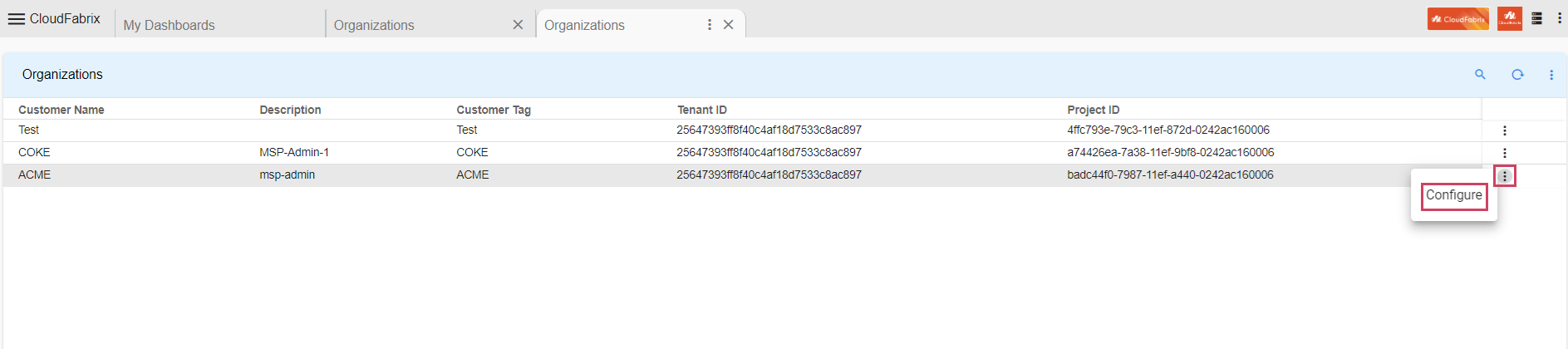
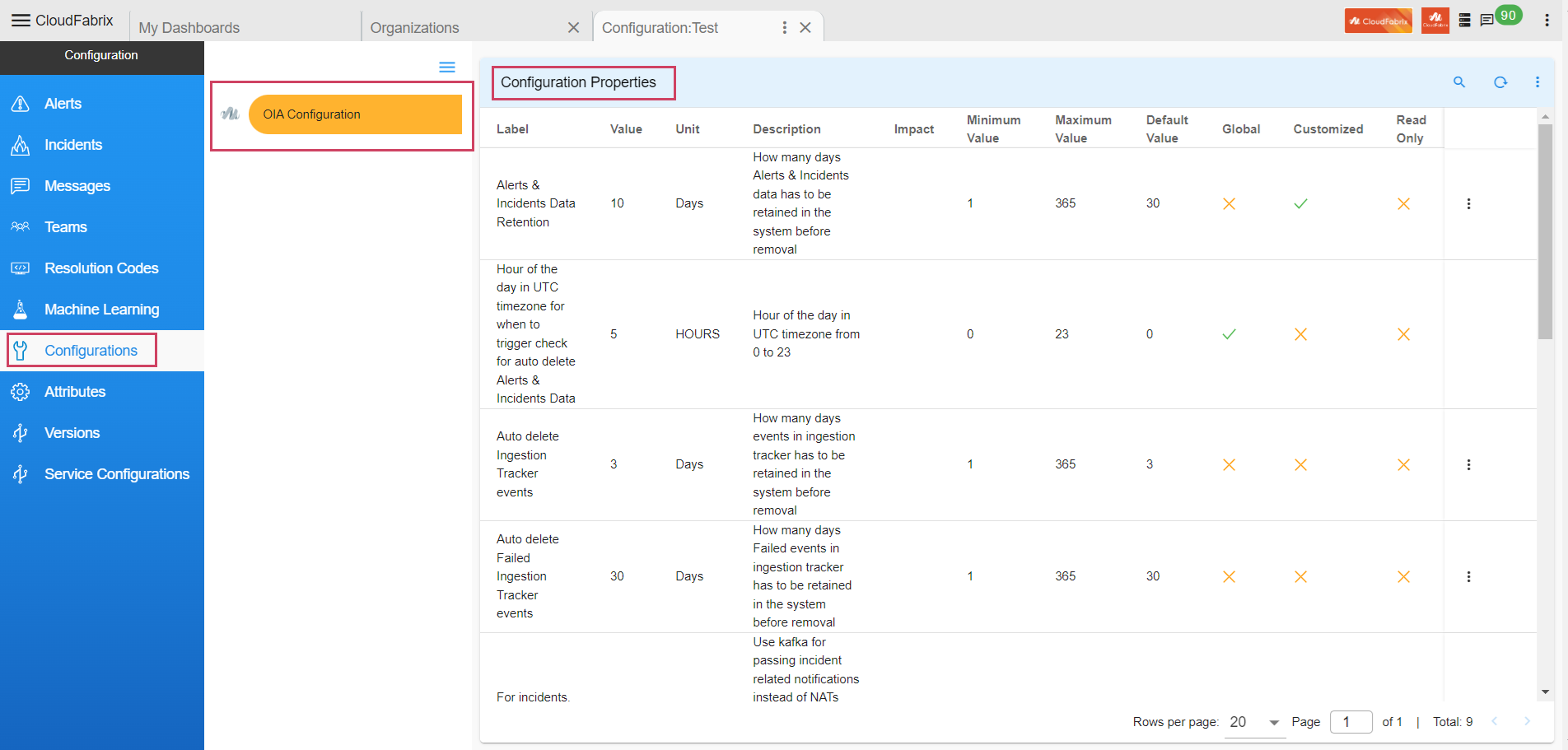
2. Configure Property(DB Configuration Change)
- Path to update Configuration Property : Home Menu → Configuration → Apps Administration → Configure → Configuration → OIA Configuration → Configuration Properties → Update
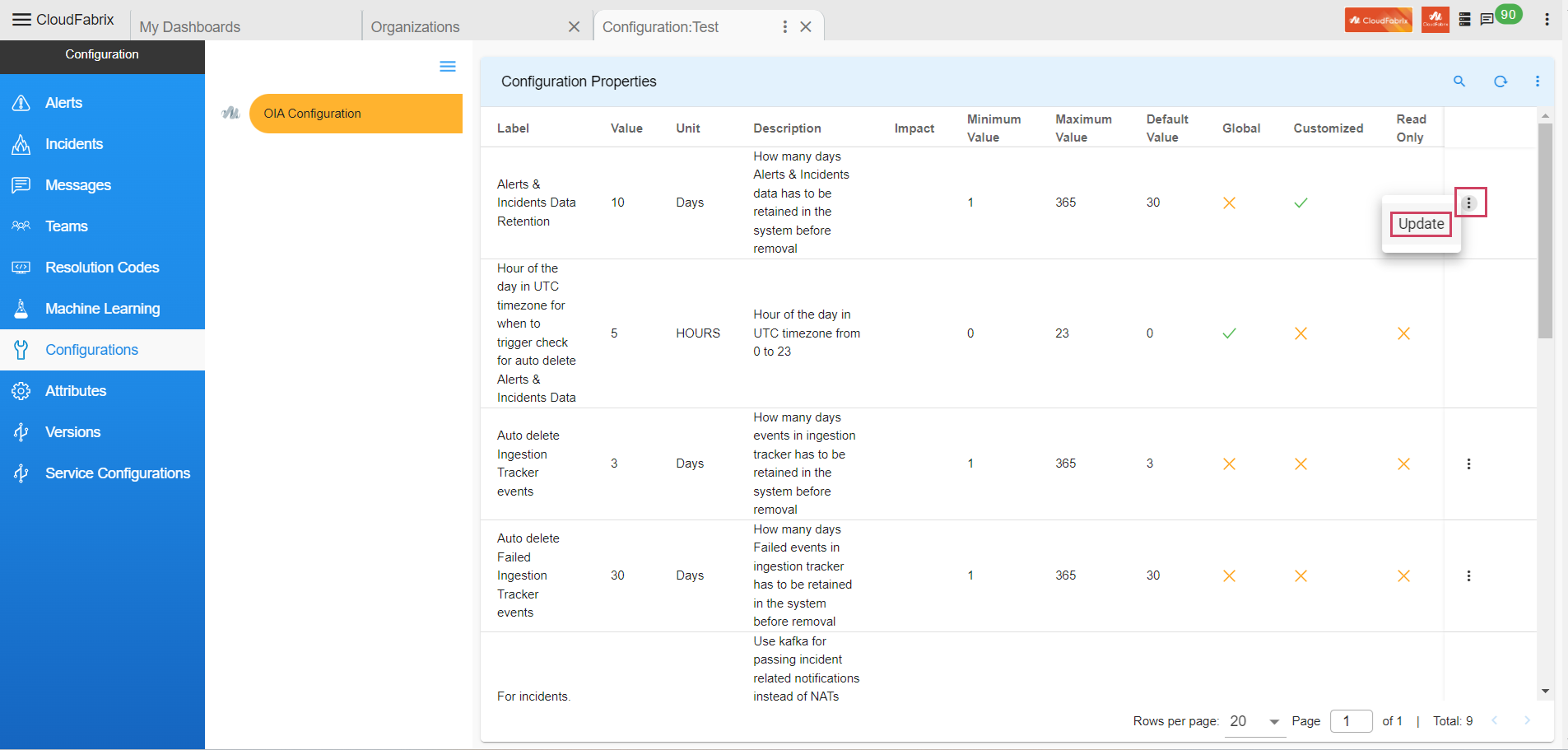
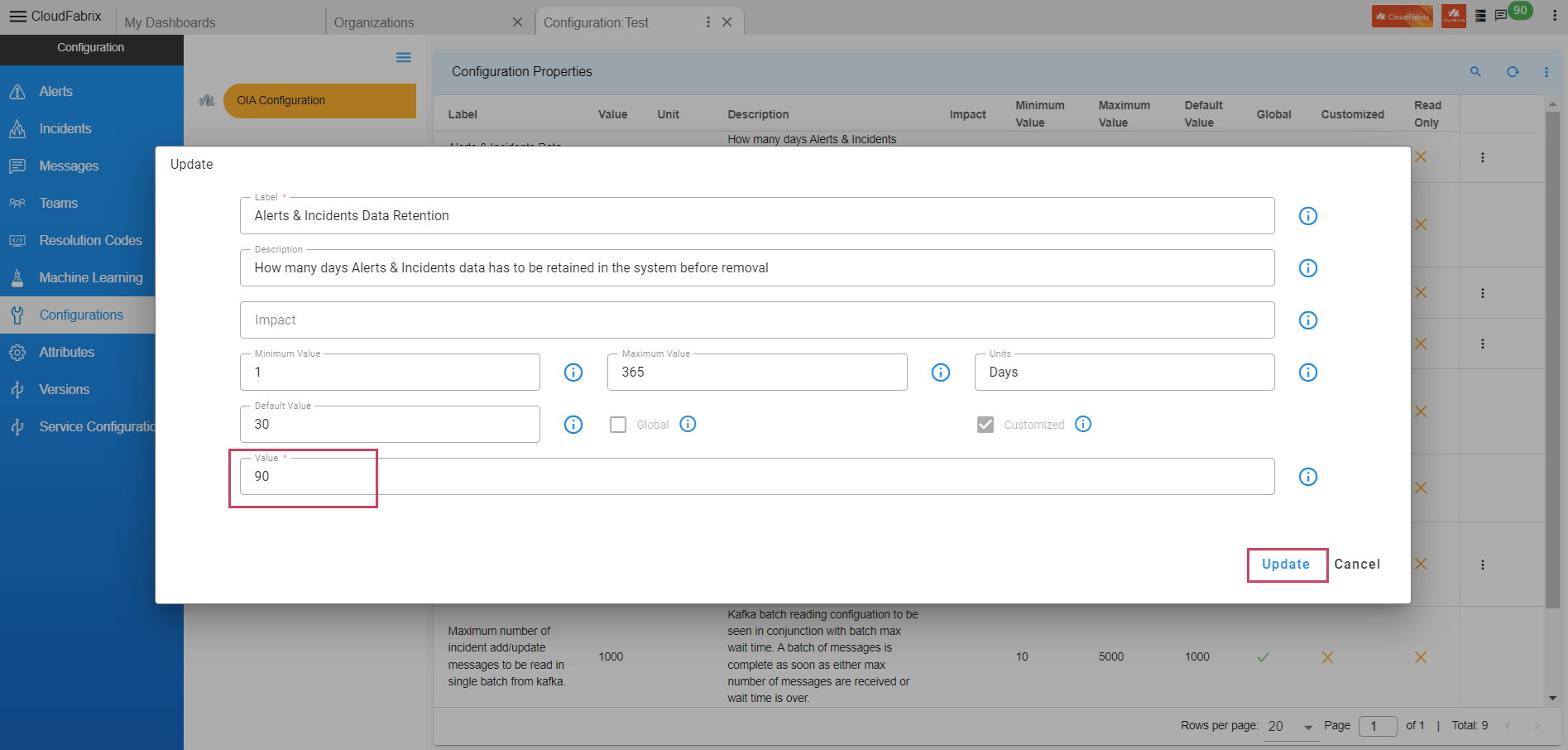
Alerts & Incidents Data Retention
- Property to define - How many days Alerts & Incidents data has to be retained in the system before removal.
Note
Pstream retention and this property should be the same in order to avoid functionality impact.
3. Configure Alerts PStream Retention
-
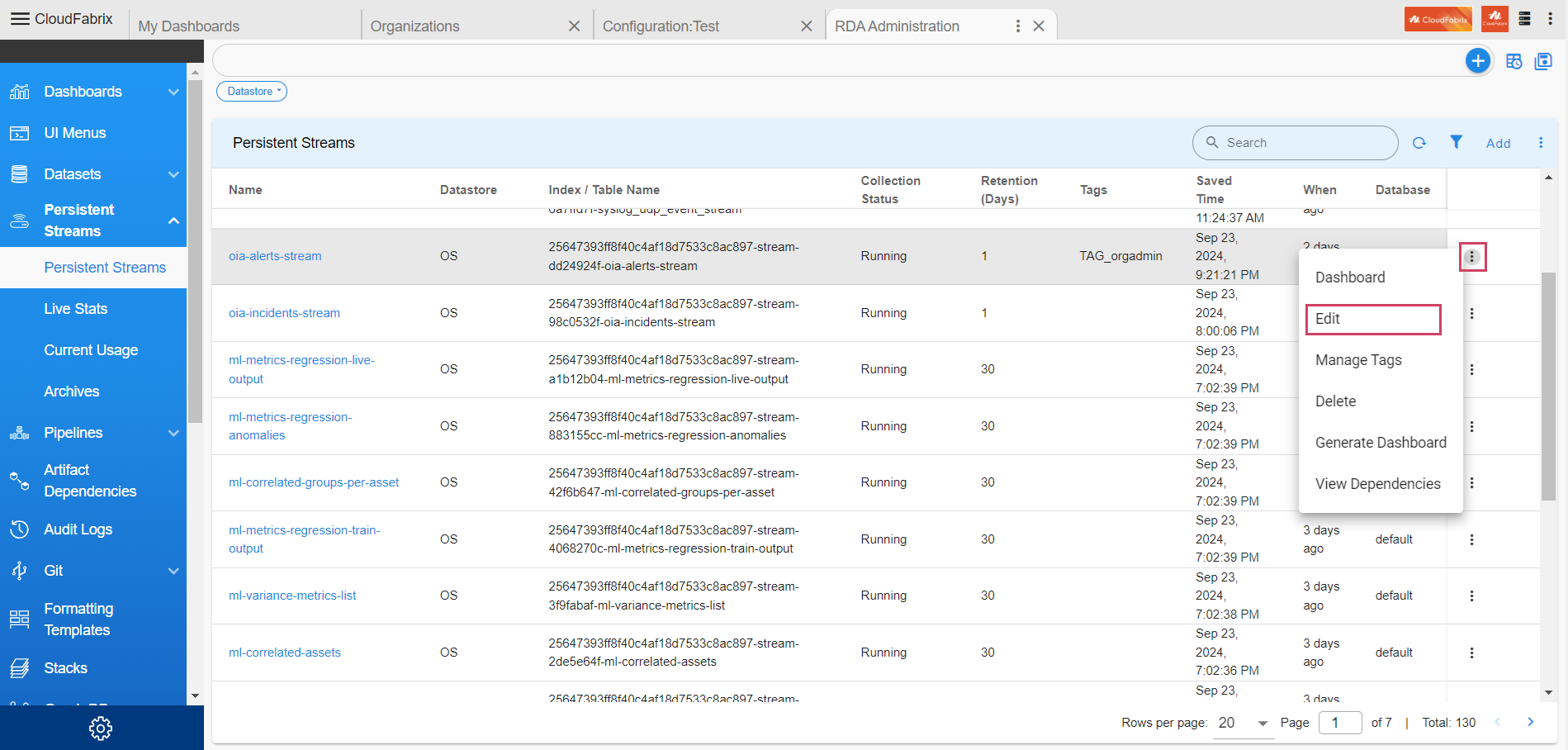
Here user can find the steps to update pstream retention days for Alerts stream
-
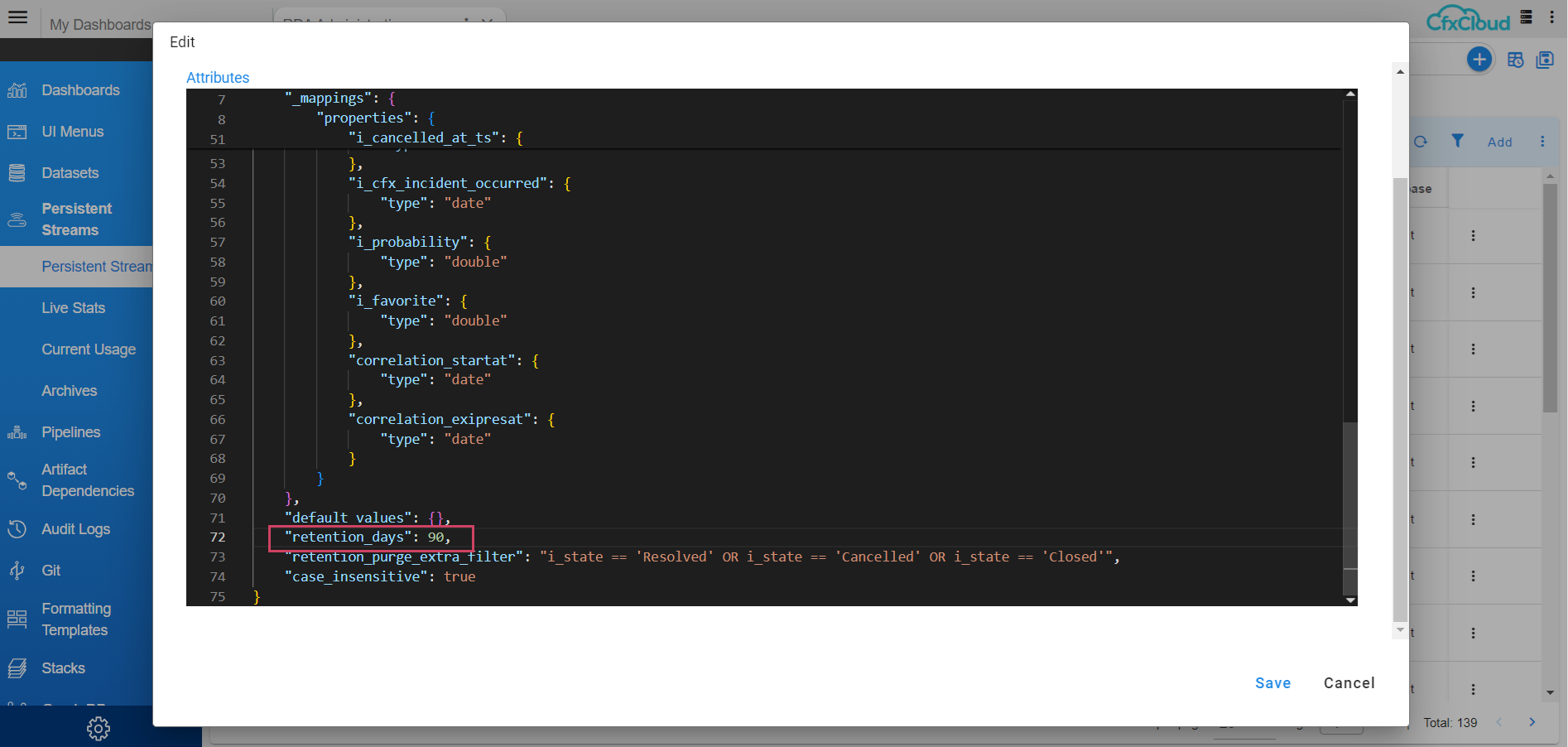
Path to update configurations for pstream : Home Menu → Configuration → RDA Administration → Persistent Streams→ Persistent Streams → oia-alerts-stream → Edit
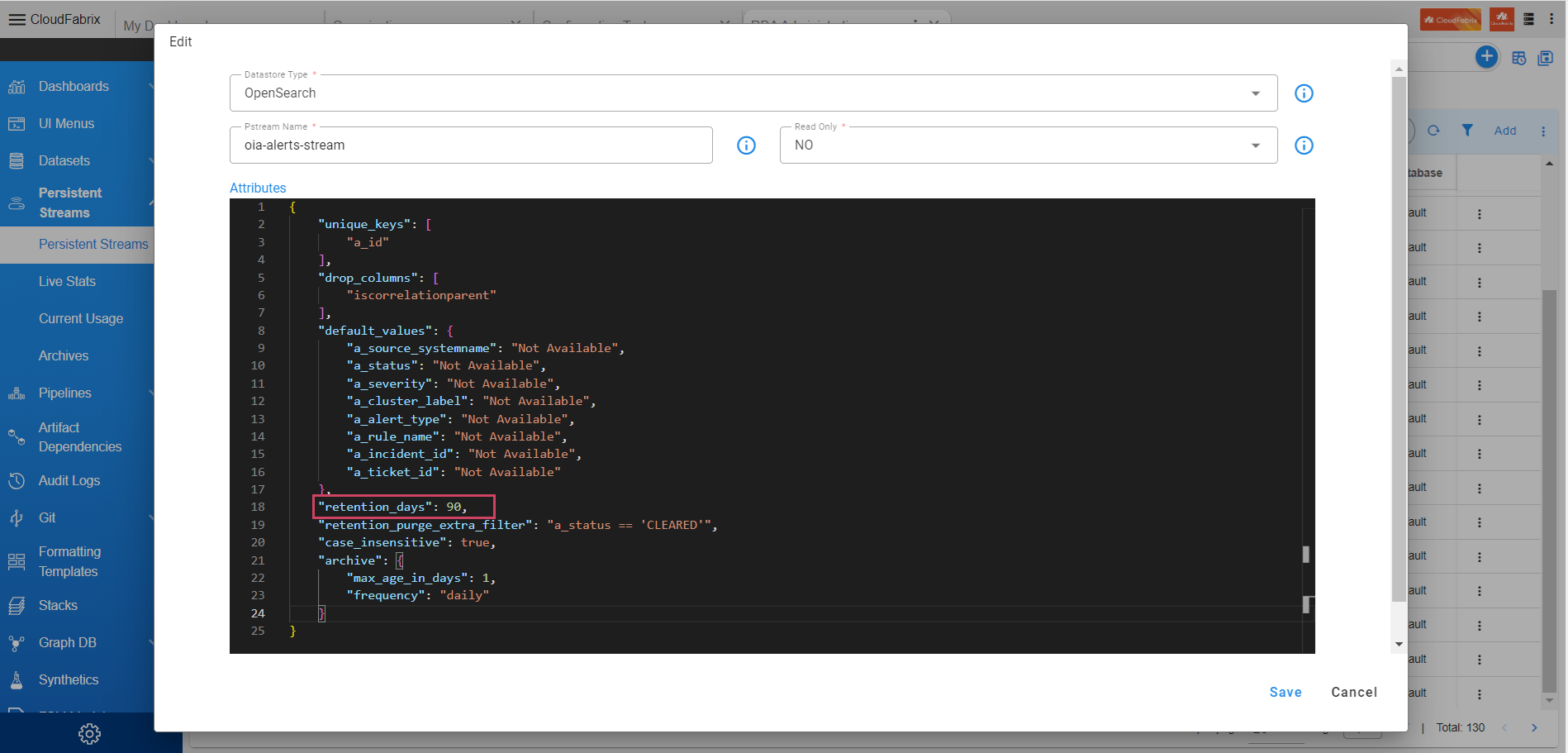
- Update retention_days property value to 90 Days in json.
4. Configure Incident PStream Retention
-
Here user can find the steps to update pstream retention days for Incident stream
-
Path to update configurations for pstream : Home Menu → Configuration → RDA Administration → Persistent Streams→ Persistent Streams → oia-incidents-stream → Edit
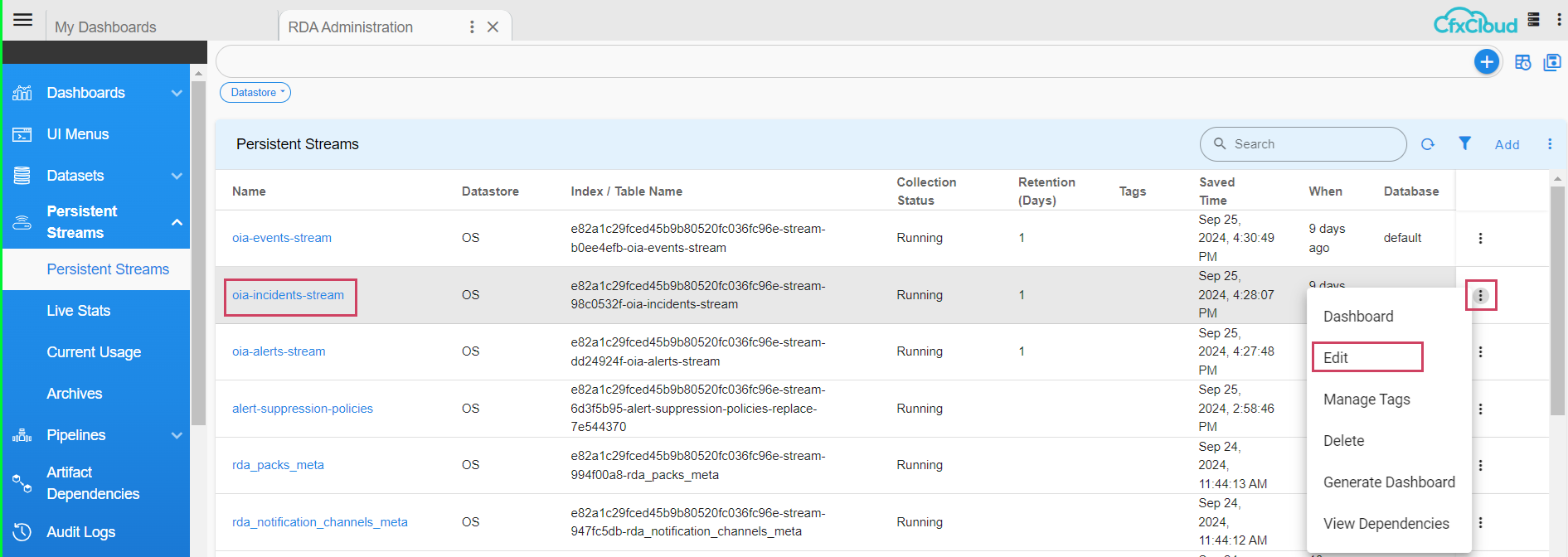
- Update retention_days property value to 90 Days in json.