Text Search Support
To optimize search performance, wildcard related searches (like "Contains" and "Starts with") are limited to text fields under 1024 bytes. For larger text fields, full-text searches using "match words" and "match phrase" operators are supported.
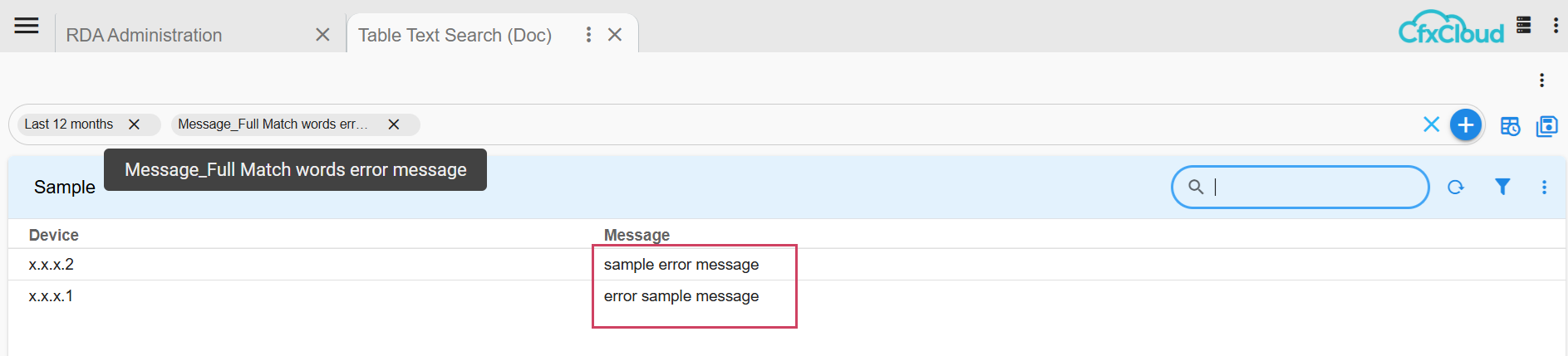
Match words : A full-text search that considers whole words without regard to their order.
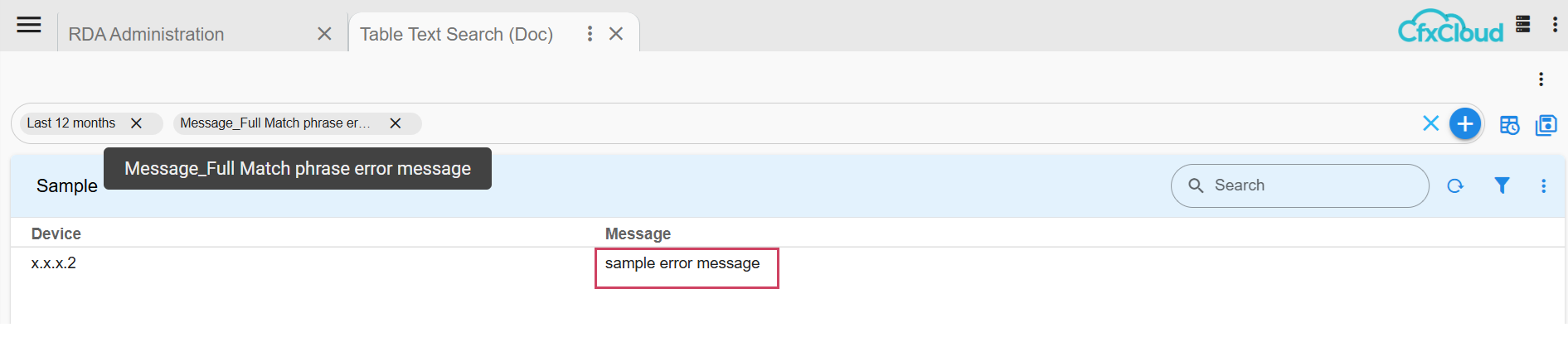
Match phrase: A full-text search that requires words to appear in the exact specified order.
For Match and Match Phrase support, set type to SEARCH_TEXT for the text field in columns_filter in the dashboard
The following example illustrates how this works
  "columns_filter": [
    {
      "id": "message",
      "label": "Message",
      "type": "TEXT"
    },
    {
      "id": "message",
      "label": "Message_Full",
      "type": "SEARCH_TEXT"
    }
  ]
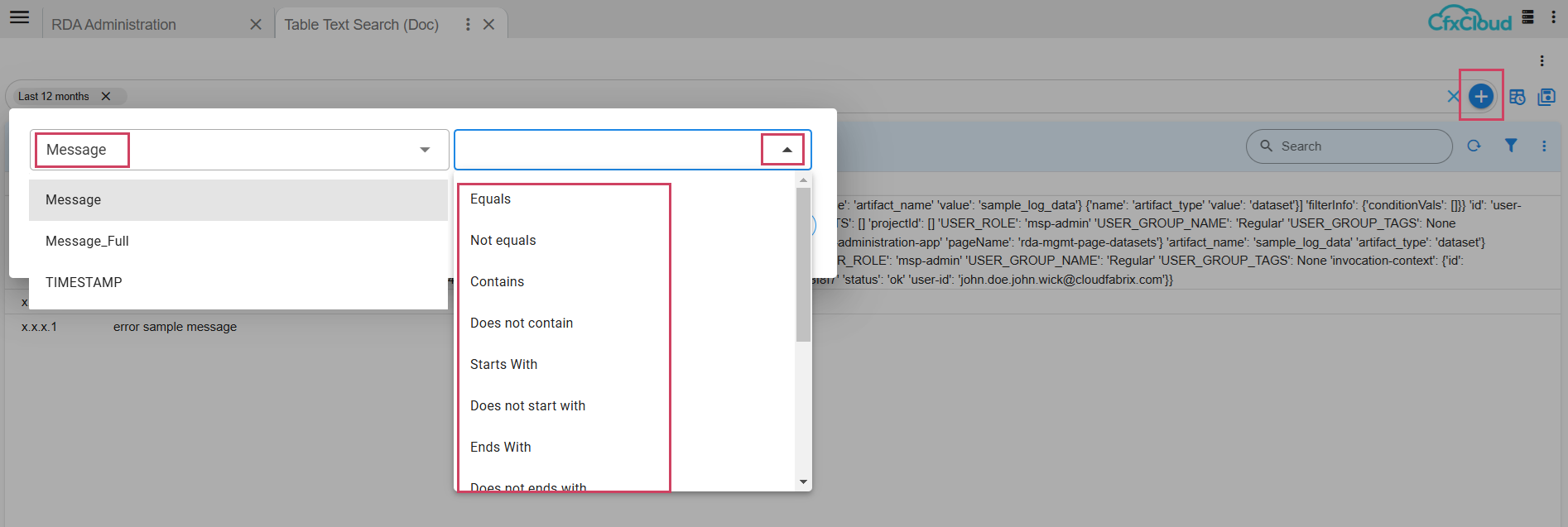
In the column filters section, for type TEXT normal text operations shows up as follows:
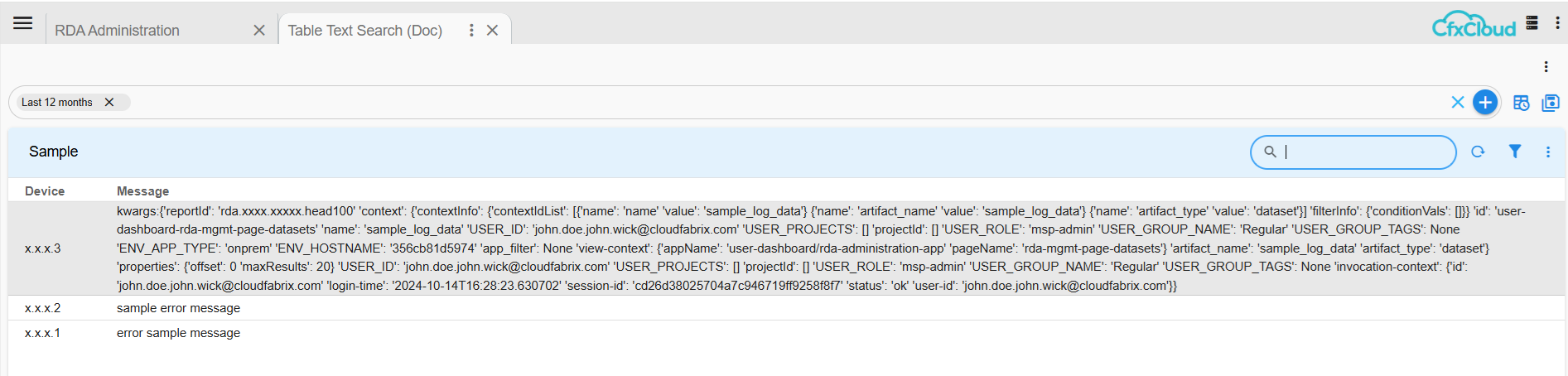
For example, when we search for text, the large message is ignored
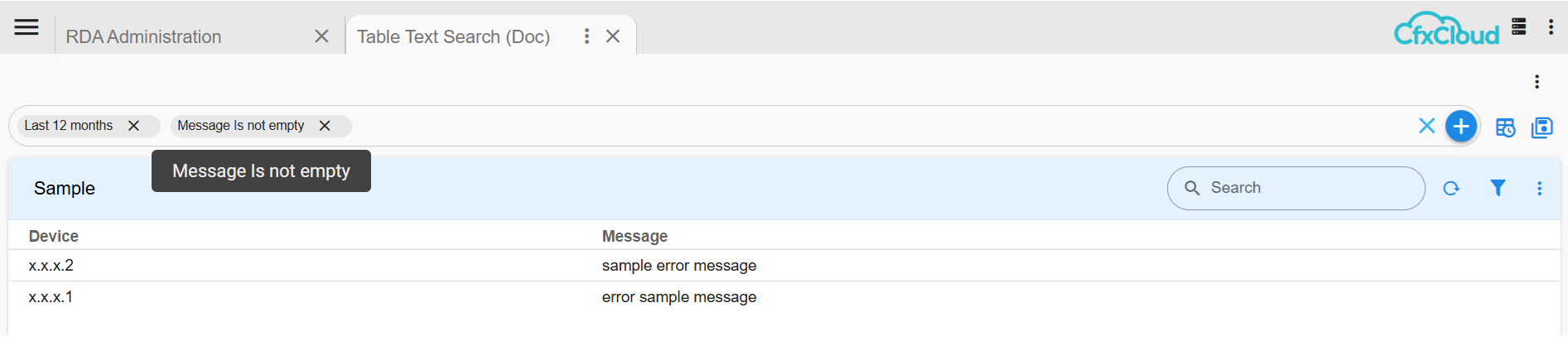
In the column filters section, for type SEARCH_TEXT normal text operations shows up as follows:
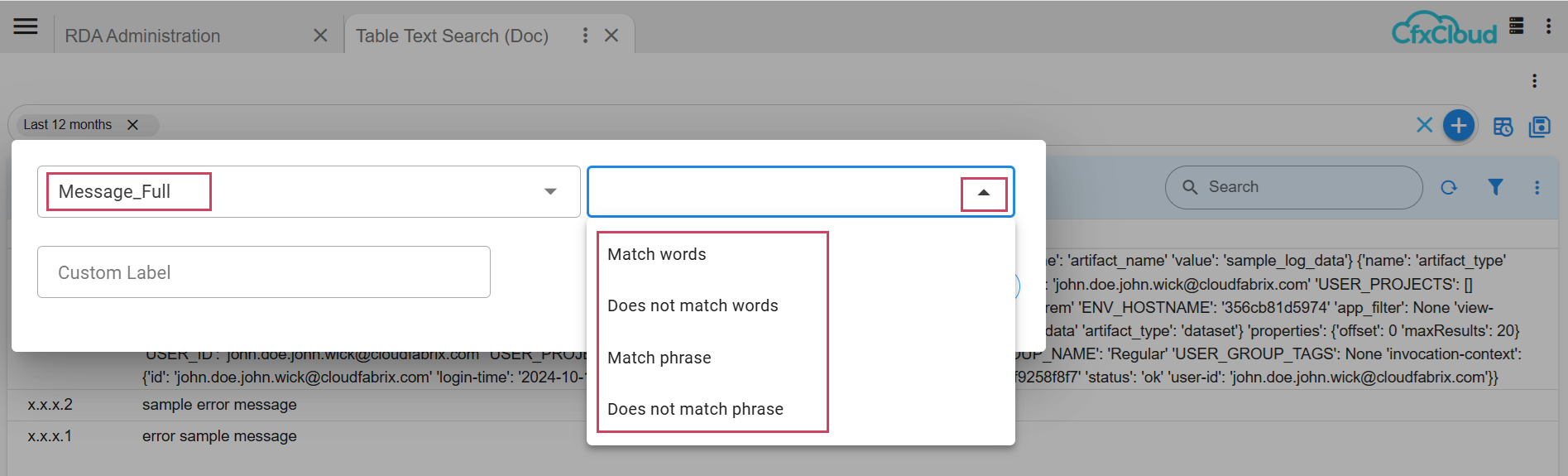
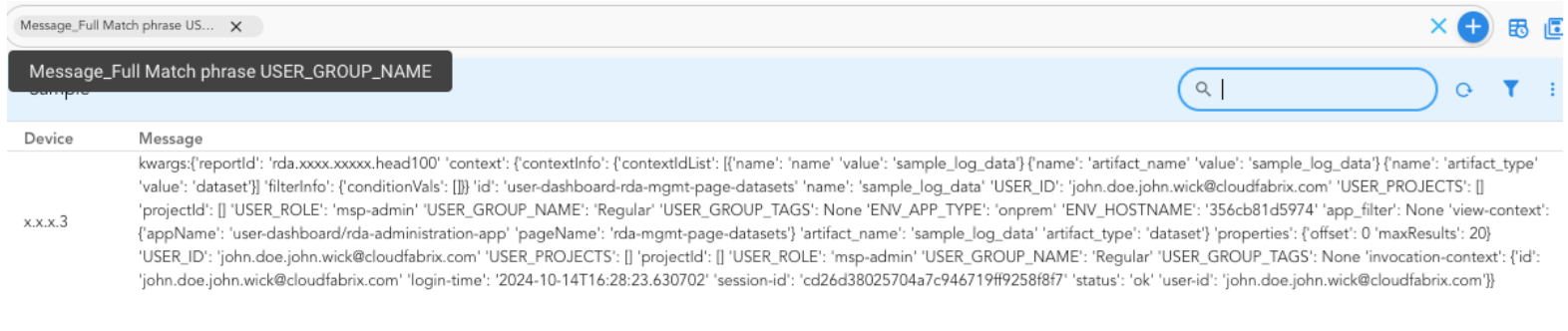
For example, with type “SEARCH_TEXT”, the large message is not ignored
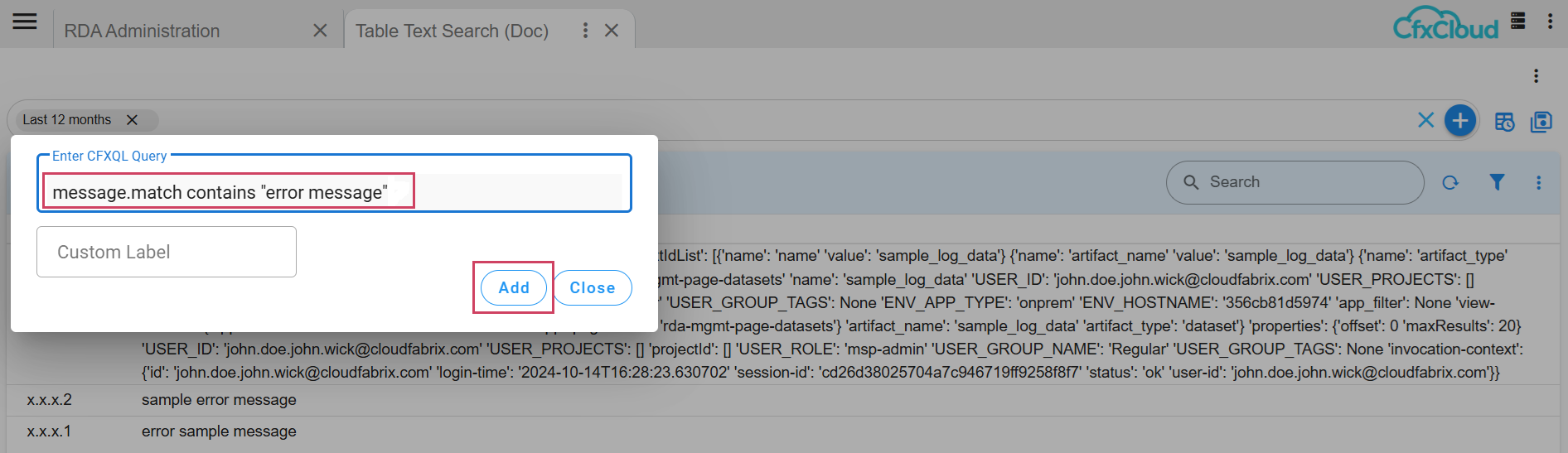
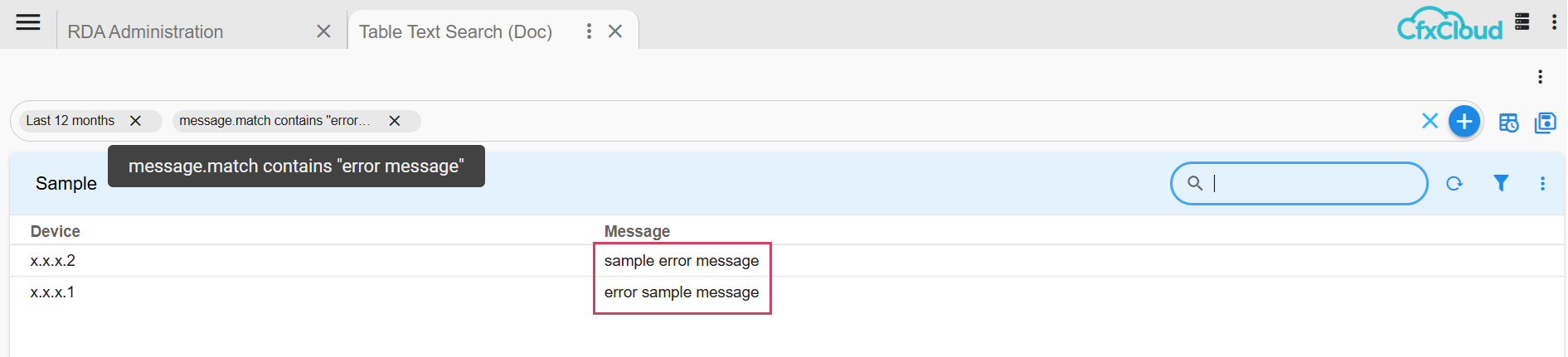
Order is irrelevant for Match words. In the below example when a user typed “error message”, the search output included all the messages that contained the words “error” and “message”

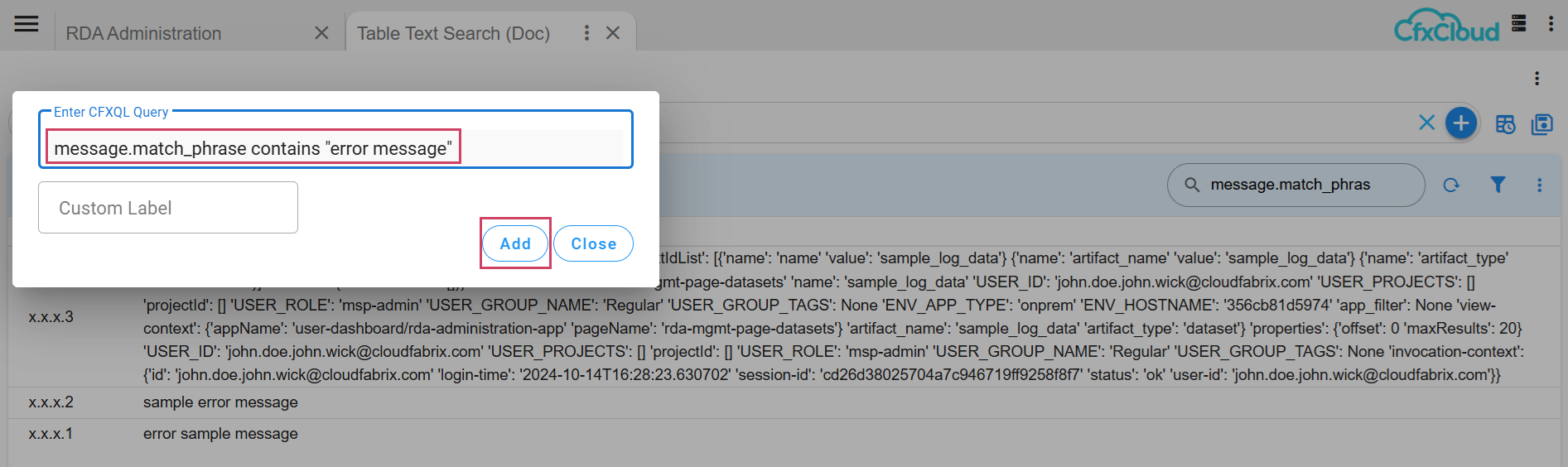
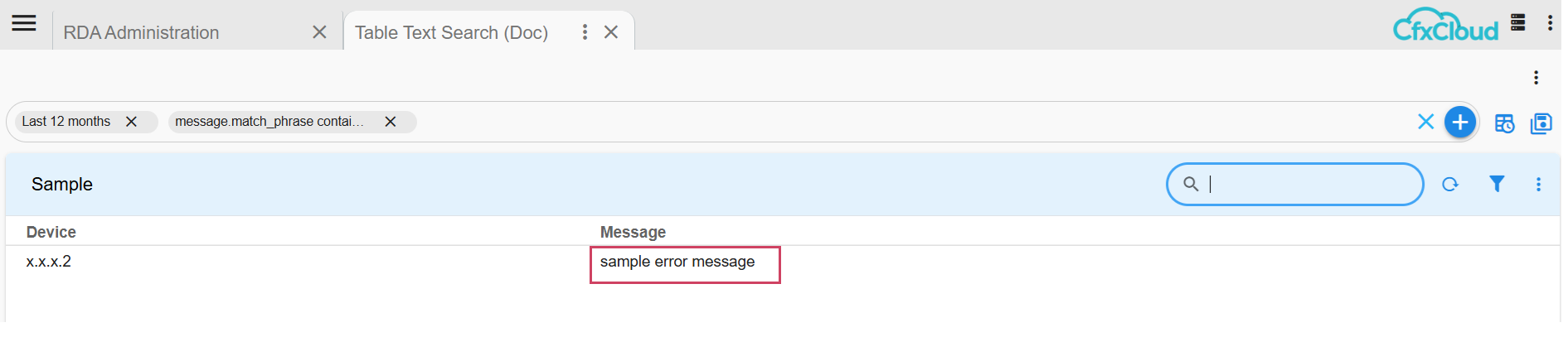
Order is important for Match phrases. In the below example when a user typed “error message”, the search output included only the data which contains “error message” in that order.

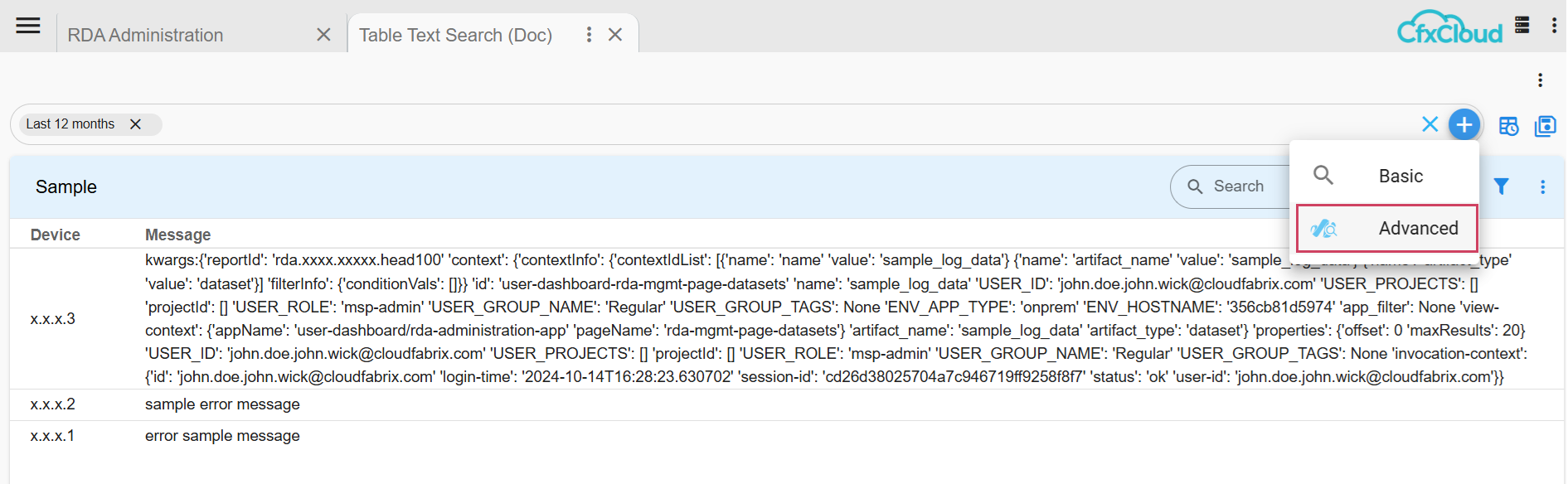
In CFXQL, the user can accomplish Match words and Match phrase via:
<text_field_name>.match or <text_field_name>.match_phrase
From the advanced CFXQL option, the following illustrates its usage